That persistent low-frequency hum ruining your listening experience? It’s likely a grounding issue with your amplifier. Many home audio enthusiasts struggle with annoying electrical interference that transforms what should be pristine sound into a frustrating buzz. Proper amplifier grounding isn’t just for professionals—it’s essential for anyone serious about audio quality and electrical safety. This guide delivers step-by-step methods to eliminate ground loops, prevent equipment damage, and achieve clean, hum-free sound from your home audio system.
Why Your Amplifier Needs Proper Grounding
Electrical grounding creates a safe path for excess current to flow into the earth, protecting both your equipment and your listening experience. Without proper grounding, your amplifier chassis can develop dangerous voltage potentials that manifest as audible interference. That constant 60Hz hum you hear through your speakers? It’s typically caused by ground loops—when multiple components connect to different ground points with varying electrical potentials.
Ground loops occur when your audio signal follows unintended paths through your equipment’s grounding system. When you touch your amplifier and the hum changes, you’re becoming part of this unwanted circuit. This isn’t just annoying—it indicates your system lacks a single, consistent reference point for electrical current. Proper grounding establishes this reference, eliminating the voltage differences that cause interference while providing critical safety protection against electrical faults.
Critical Safety Steps Before Grounding Your Amplifier
Power Down Completely before attempting any grounding procedures. Unplug your amplifier and wait at least 30 seconds to allow internal capacitors to discharge. This simple step prevents electrical shock and protects sensitive amplifier components from accidental short circuits during your work.
Verify Equipment Safety by using properly insulated tools rated for electrical work. Your toolkit must include a non-contact voltage tester to confirm no live voltage remains on the amplifier chassis. Never assume power is off—always test before touching any connections. Using the wrong tools can create dangerous short circuits or damage your expensive audio equipment.
Check Your Workspace Environment for potential hazards. Work in a dry area free from moisture, with adequate lighting to see small connection points clearly. Keep flammable materials away from your workspace, and ensure children and pets cannot access your setup area during the grounding process.
Identify Your Amplifier’s Grounding Configuration
Locate the Chassis Ground Terminal
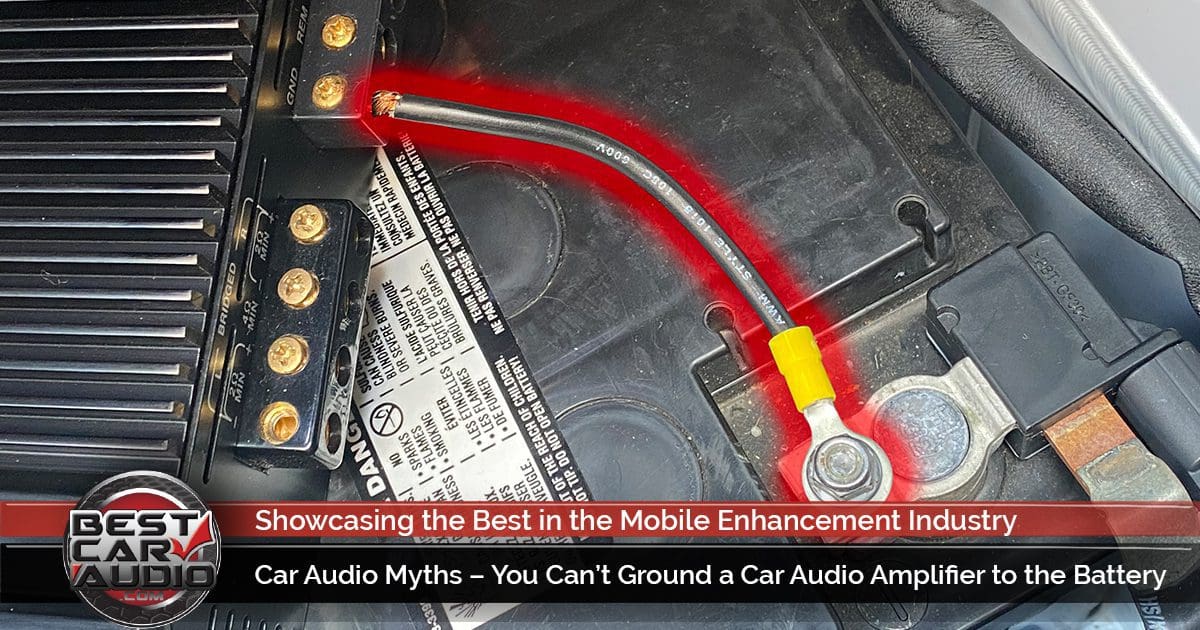
Most amplifiers feature a dedicated grounding terminal marked with the ⏚ symbol or labeled “GND.” These connection points typically appear as brass or copper posts near the power input or speaker terminals. Modern units often use standard binding posts that accept bare wire or ring terminals, while vintage amplifiers might require direct wire connections to specific chassis points.
Examine your amplifier’s rear panel carefully—some manufacturers hide ground terminals behind removable covers or integrate them with other connection points. If you can’t find a dedicated ground terminal, your amplifier likely relies on the power cord’s grounding prong for chassis connection, which means your wall outlet’s grounding quality becomes critical.
Verify Your Power Cord Grounding System
Modern amplifiers use three-prong IEC power cords where the third prong connects directly to chassis ground. This configuration provides grounding through your wall outlet—provided that outlet is properly grounded. Check your power cord for the third grounding pin; if it’s missing or damaged, replace the cord immediately with a properly rated three-prong version.
Older amplifiers or imported equipment sometimes use two-prong power cords that lack grounding capability. These units require alternative grounding methods, typically through a dedicated ground wire connected to your amplifier’s chassis ground terminal. Never remove the grounding prong from a three-prong cord to fit a two-prong outlet—that’s a serious safety hazard.
Essential Tools for Proper Amplifier Grounding

Must-Have Testing Equipment:
– Outlet tester (to verify wall receptacle grounding)
– Digital multimeter (for continuity and resistance testing)
– Non-contact voltage detector (safety verification)
Required Grounding Materials:
– 12-14 AWG stranded copper wire with green insulation
– Appropriately sized ring terminals for your ground connection
– Quality wire strippers and crimping tool
– Phillips and flathead screwdrivers (insulated handles)
Troubleshooting Additions:
– Ground loop isolator (for persistent hum issues)
– High-quality power conditioner with isolated outlets
– Electrical tape and wire ties for secure installation
Test Your Wall Outlet Before Grounding
Step 1: Insert an outlet tester into the receptacle powering your amplifier. Three amber lights indicate proper grounding—any red lights signal problems requiring immediate attention. If your outlet shows an open ground, stop and consult a qualified electrician before proceeding.
Step 2: Verify the outlet’s grounding continuity using your multimeter. Set it to continuity mode and touch one probe to the outlet’s ground slot while touching the other to a known ground point like a metal cold water pipe. A continuous beep confirms proper grounding.
Step 3: Test multiple outlets on the same circuit. Sometimes only certain outlets in a room have proper grounding. Identify which outlets provide the best ground connection for your audio system—this might require testing several locations before final setup.
Create a Dedicated Ground Connection
Locate Your Home’s Grounding Point
Find your electrical service panel (main breaker box), typically located in basements, garages, or utility rooms. The panel’s ground wire connects either to a ground rod driven into earth outside or to metal cold water pipes. For best results, connect your amplifier’s ground wire to this central grounding point rather than random outlets.
Install the Ground Wire Correctly
Use 12 AWG green-insulated wire for runs under 50 feet, upgrading to 10 AWG for longer distances. Route the wire along baseboards or through walls following electrical code requirements. Never run ground wires across doorways or under carpets where they could become damaged. Keep the wire as short and direct as possible—longer wires increase resistance and reduce effectiveness.
Connect to Your Amplifier Securely
Attach the ground wire’s end to your amplifier’s chassis ground terminal using a properly crimped ring terminal. Tighten firmly but avoid over-torquing, which can strip threads or crack terminal posts. Ensure bare copper makes solid contact with the terminal—any paint or oxidation should be removed for optimal conductivity.
Eliminate Ground Loops in Your Audio System
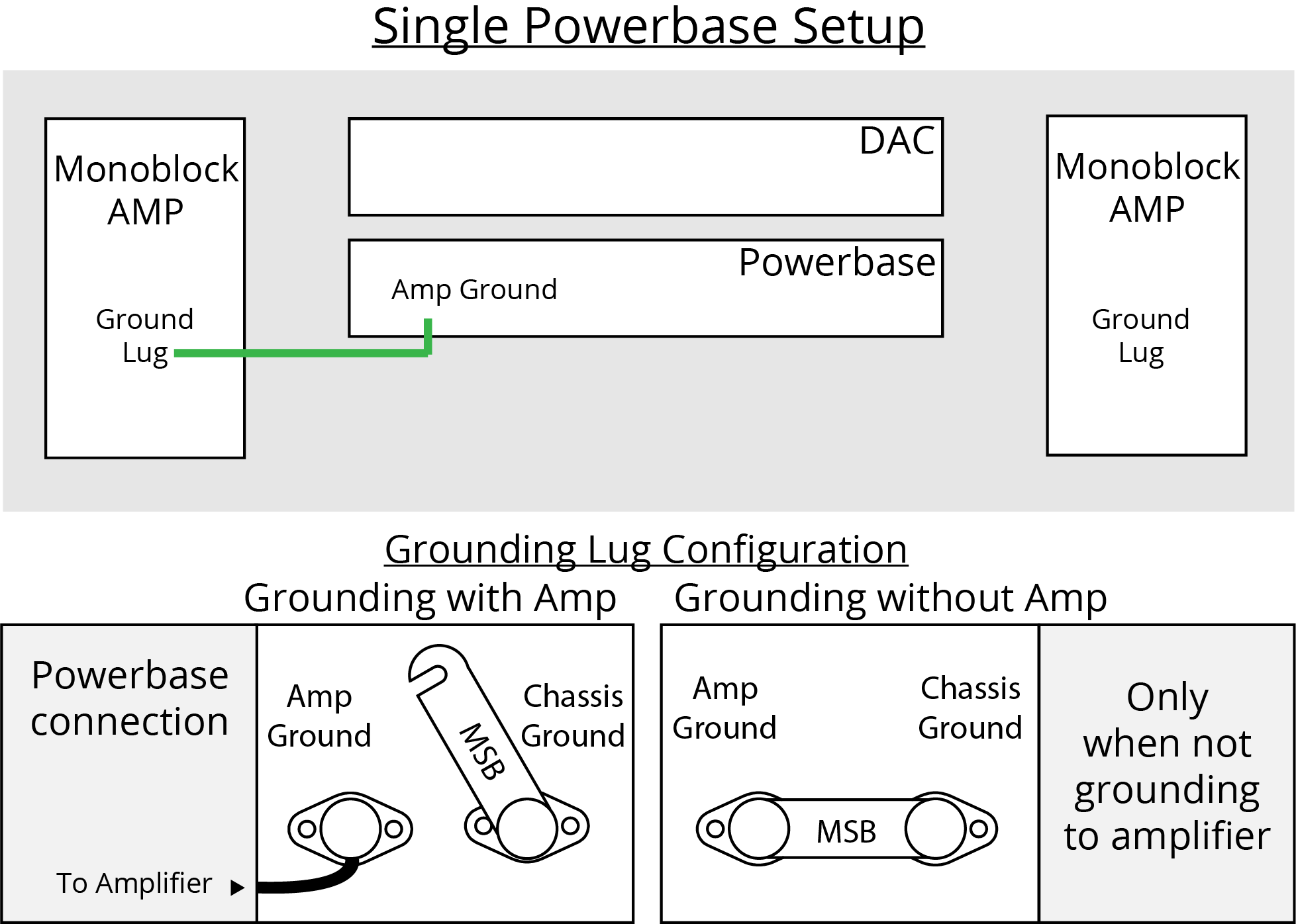
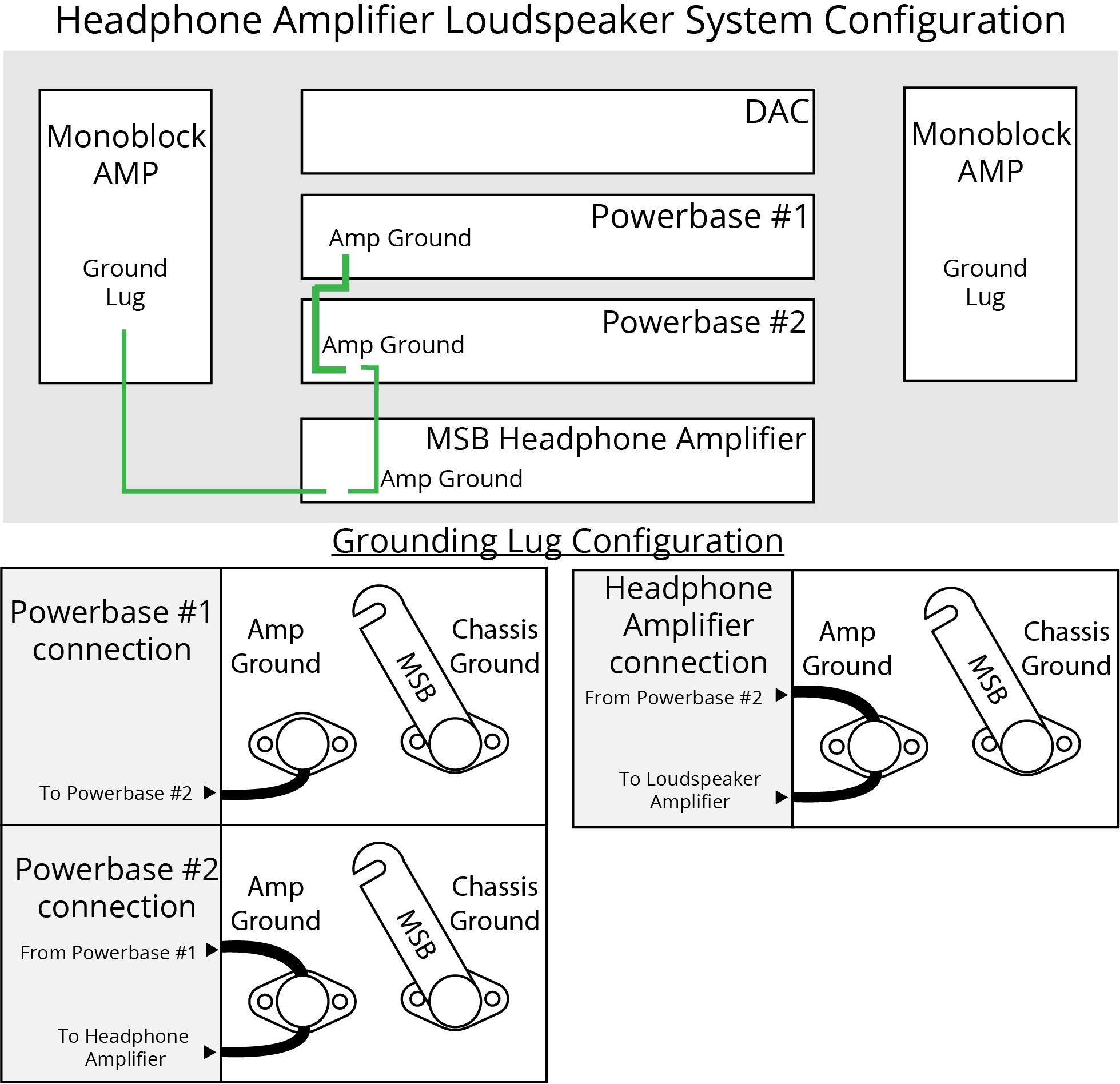
Implement Single-Point Grounding
Connect all audio components to the same electrical circuit whenever possible. This minimizes potential differences between components and dramatically reduces ground loop formation. Power your entire system through a single high-quality power strip connected to one properly grounded outlet.
Use Quality Power Conditioners Strategically
Invest in power conditioners with isolated outlets that provide individual grounding paths for each component while maintaining a common reference point. These devices prevent ground loops between components while offering essential surge protection for your valuable audio equipment.
Break Persistent Loops with Isolation
When ground loops persist despite proper grounding, install isolation transformers between your amplifier and source components. These devices break the electrical connection that causes hum while maintaining audio signal integrity. Connect them to line-level outputs like preamp or DAC connections for maximum effectiveness.
Troubleshoot Remaining Hum Issues Systematically
Conduct a Component Isolation Test
Start by disconnecting all source components from your amplifier, leaving only speakers connected. Power on the system and listen for hum. If it disappears, reconnect components one at a time to identify the culprit. If hum persists with everything disconnected, the issue lies within the amplifier itself or its grounding connection.
Optimize Cable Management
Separate power cables from audio cables by at least 6 inches, crossing them at 90-degree angles rather than running parallel. This prevents electromagnetic interference from power lines inducing noise into sensitive audio signals. Use high-quality shielded cables for all audio connections to further reduce interference.
Employ Professional-Grade Solutions
When DIY methods fail, consider installing a dedicated audio circuit with its own grounding wire run directly to your electrical panel. This premium solution eliminates shared grounding paths with other household appliances that cause interference. For vintage equipment, consult a qualified audio technician who specializes in older amplifiers.
Verify Your Grounding Success
Test your completed grounding system using a multimeter set to continuity mode. Touch one probe to your amplifier’s chassis ground terminal and the other to a known ground point. A continuous beep confirms proper connection. Measure resistance between chassis and ground—readings under 1 ohm indicate excellent grounding.
With your system powered on, measure AC voltage between amplifier chassis and ground. Readings above 50 millivolts suggest remaining ground loop issues requiring further investigation. The ideal reading should be under 10mV for hum-free operation.
Maintain Your Grounding System Long-Term
Schedule annual inspections of your grounding connections to prevent gradual degradation. Check for corrosion on terminals, loose connections, or damaged insulation that could compromise your system. Retest your grounding whenever you add new components or reconfigure your audio setup.
Document your grounding configuration with photos and simple wiring diagrams. This documentation proves invaluable during future troubleshooting and helps technicians understand your setup if professional service becomes necessary. Proper maintenance ensures your amplifier continues delivering clean, noise-free performance for years to come.
Final Grounding Verification and Enjoyment
Your amplifier’s grounding directly impacts both safety and sound quality. Take time to implement these methods correctly—rushing leads to poor connections that fail when you need them most. Start with the simplest solution (verifying proper power cord grounding) before moving to dedicated ground wires. Remember that persistent hum often indicates multiple issues working together, so work systematically through each potential cause.
With proper grounding in place, your amplifier will deliver the clean, noise-free performance it was designed to provide. That annoying hum will disappear, revealing musical details previously masked by interference. Most importantly, you’ll have peace of mind knowing your valuable audio equipment operates safely within proper electrical parameters. Turn up the volume and enjoy your music as it was meant to be heard—completely free from electrical interference.