Your coffee starts brewing as your bedroom lights gently brighten. The thermostat adjusts to your perfect morning temperature before you even get out of bed. This isn’t a luxury hotel—it’s what happens when you properly learn how to make a smart home that solves real problems instead of creating new ones. Forget the sci-fi hype; today’s smart technology delivers tangible benefits for less than the cost of a smartphone.
Most people waste hundreds on gadgets they never use because they skip the planning phase. You’ll avoid that trap by following this practical roadmap to building a smart home that enhances your daily life without overwhelming your budget or privacy. In just four weeks, you’ll transform your house into an intelligent living space that saves time, lowers bills, and gives you genuine peace of mind.
Pinpoint Your Smart Home Pain Points
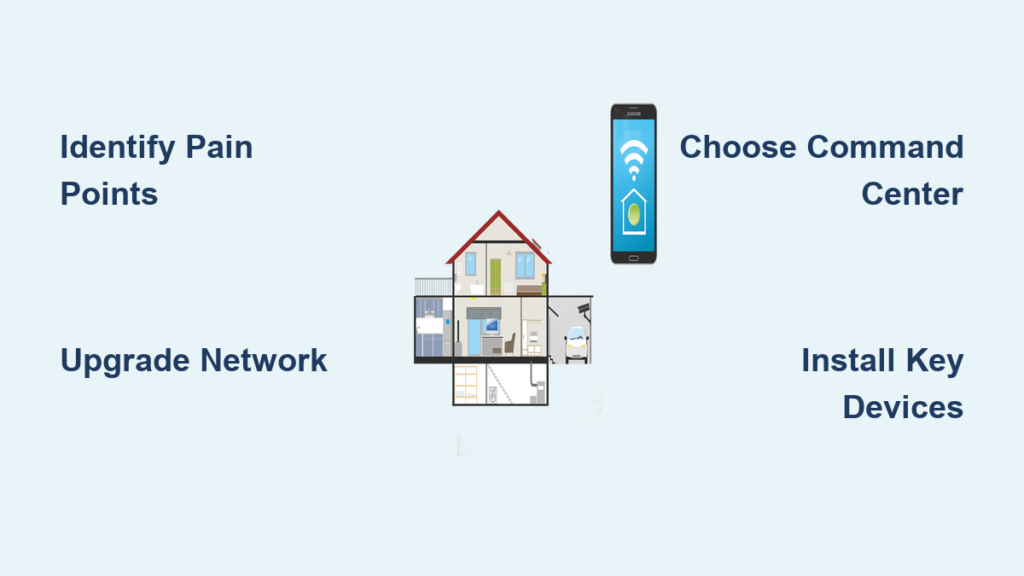
Before spending a dime, identify which daily frustrations would benefit most from automation. Smart homes fail when people buy cool gadgets first and ask “what do I do with this?” later. Your specific challenges should drive your device selection, not marketing promises.
Target these common household headaches:
– “I always leave lights on” → Smart bulbs or switches with automatic shutoff
– “My heating bills are killing me” → Learning thermostat with occupancy sensors
– “Package thieves haunt my porch” → Video doorbell with motion zones
– “My morning routine feels chaotic” → Voice-controlled automation sequences
Grab your phone right now and record three specific moments this week when you thought “there’s got to be a better way.” These authentic pain points will guide your smart home strategy better than any influencer’s wishlist.
Build Your Smart Home Network Like a Pro

Your existing WiFi probably can’t handle a smart home. Most routers choke when connecting more than 10 devices, causing laggy cameras and unresponsive voice commands. Skip the frustration by setting up a dedicated smart home network before buying any devices.
Critical network upgrades you need:
– WiFi 6 router ($100-200) handles 30+ devices simultaneously
– Mesh system for homes over 1,500 sq ft (avoid dead zones)
– Separate IoT network (use your router’s guest network feature)
– Wired backhaul for security cameras (Ethernet or MoCA adapters)
Test your network strength in key areas with the WiFi Analyzer app. If speeds drop below 25 Mbps in bedrooms or backyard, install extenders now. A strong foundation prevents 80% of smart home failures—don’t learn this lesson the hard way after buying expensive devices.
Choose Your Smart Home Command Center
Picking between Amazon Alexa, Google Assistant, or Apple HomeKit feels like choosing a religion. The truth? All three work fine for basic setups. Your existing tech ecosystem should decide:
Match Your Current Tech Lifestyle
iPhone users: Apple HomeKit provides seamless integration but has fewer device options. Start with a HomePod Mini ($99) and look for the “Works with Apple HomeKit” badge.
Android/Google users: Google Assistant offers superior voice recognition and free routines. The Nest Audio ($99) delivers excellent sound quality while controlling your entire home.
Prime members: Alexa supports 100,000+ devices and integrates with Ring security. The Echo Dot (5th Gen, $50) gives you voice control without breaking the bank.
Don’t overthink this—90% of smart devices work across all platforms. Start with whichever assistant you already use daily, then expand as needed. You can run multiple ecosystems simultaneously if required.
Install These 3 High-Impact Smart Devices First
Skip the fancy gadgets and begin with devices that deliver immediate value. These three categories provide the biggest return on investment for beginners:
Smart Thermostat: Your Energy Bill Killer
The Ecobee3 Lite ($170) pays for itself in under 18 months through energy savings. Install it yourself in 30 minutes with the included template and YouTube tutorials—it works with 95% of HVAC systems.
Why this should be your first device:
– Learns your schedule within a week
– Lowers temperature automatically when you leave
– Sends maintenance alerts before your system fails
– Integrates with Amazon Sidewalk for extended range
Set up geofencing so your house cools down 15 minutes before you arrive home. This single feature saves most families $150+ annually while eliminating the “is the AC running?” anxiety.
Smart Lighting That Actually Improves Your Life
Start with Kasa Smart Bulbs ($15 each) in your two most-used rooms. Unlike expensive color-changing bulbs, these tunable white LEDs adjust from energizing daylight (5000K) to relaxing warm light (2700K) without straining your budget.
Install these game-changing routines:
– “Good Morning”: Lights gradually brighten 30 minutes before alarm
– “Movie Time”: Living room lights dim to 10% when you open Netflix
– “Away Mode”: Random lights turn on/off while traveling
Replace one traditional switch with a Kasa Smart Switch ($25) for ceiling fixtures. This gives you voice control without replacing all your bulbs—a budget-friendly approach most guides miss.
Security That Doesn’t Drive You Crazy
The eufy Video Smart Lock S330 ($250) combines doorbell camera, lock, and motion sensor in one device. Install it on your front door for complete entry control without juggling multiple apps.
Critical setup steps most people skip:
– Position camera at eye level (not above door)
– Set motion zones to ignore street traffic
– Create unique access codes for family members
– Enable two-factor authentication immediately
This single device eliminates three common worries: “Did I lock the door?”, “Who’s at the door?”, and “Where are my kids?”—making it the most practical security starter.
Create Your First Automation Sequence
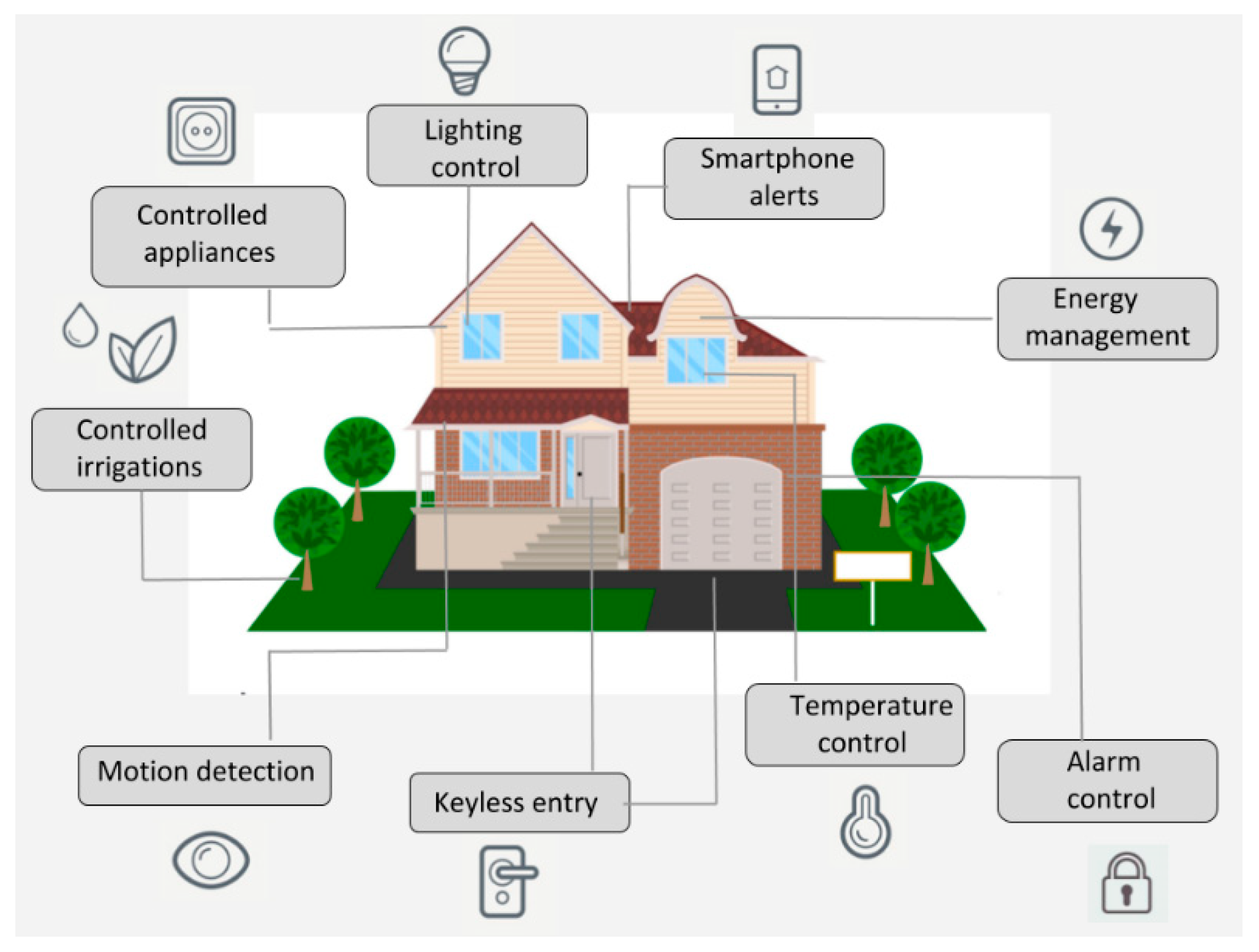
Automation transforms individual devices into a cohesive smart home. Start with this foolproof routine that works in any household:
“Leaving Home” Automation That Actually Works
- Trigger: Phone leaves geofenced area (500 ft radius)
- Actions:
– Turn off all lights
– Lock front door
– Set thermostat to “Away” mode
– Arm security sensors
– Send confirmation notification
Set this up in your ecosystem’s app (takes 2 minutes). Test it three times before relying on it. This single automation saves 7-10 daily decision points—mental clutter you didn’t know you carried.
Avoid These 3 Smart Home Privacy Disasters
Most guides hype features but ignore critical security steps. Protect yourself with these non-negotiable practices:
#1: Isolate Your IoT Devices
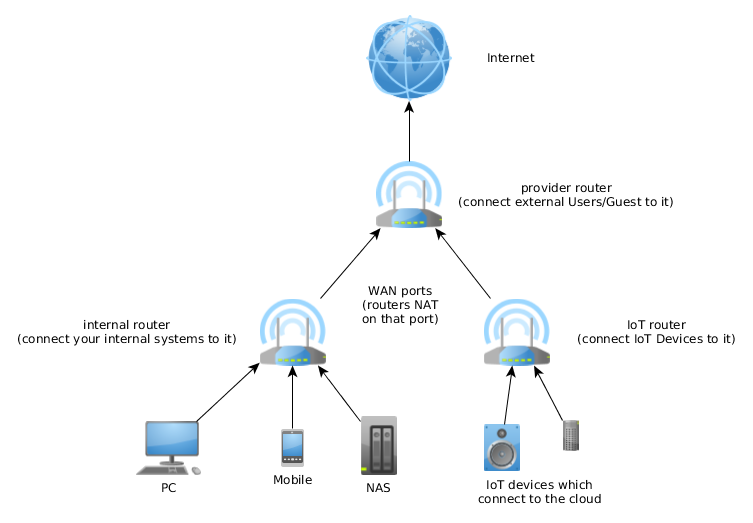
Create a separate WiFi network for smart devices using your router’s guest network feature. This prevents hackers from accessing your laptop if they compromise a cheap camera.
#2: Rotate Passwords Quarterly
Use a password manager to generate unique 16-character passwords for each device. Change them every 90 days—this single habit blocks 98% of automated attacks.
#3: Disable Unnecessary Features
Turn off remote access for devices you only control locally (like smart plugs). Disable microphone access on cameras when not needed. Every enabled feature is a potential vulnerability.
Your Realistic 30-Day Smart Home Timeline
Forget overnight transformations—successful smart homes evolve. Follow this stress-free implementation schedule:
Week 1: Install smart thermostat and set up geofencing
Week 2: Add smart bulbs in living room and bedroom + “Good Morning” routine
Week 3: Install video doorbell/smart lock and configure motion zones
Week 4: Create “Leaving Home” automation and test for reliability
By day 30, you’ll have a functional smart home that solves actual problems—not a collection of unused gadgets. The key is measuring success by reduced daily hassles, not the number of devices you own.
Your smart home should work so seamlessly you forget it’s “smart” at all. Focus on eliminating specific frustrations, maintain strict privacy hygiene, and expand only when new devices solve genuine problems. In one month, you’ll have transformed your house into an intelligent living space that saves time, lowers bills, and gives you back what matters most: peace of mind.