That ear-splitting shriek jolts you awake at 3 a.m. Steam from your shower has triggered the hallway alarm again, or maybe burnt toast set off the kitchen detector. Your instinct screams to rip the unit from the ceiling—but silencing your fire alarm incorrectly could leave your family unprotected. Knowing how to switch off fire alarm at home safely separates a minor nuisance from a life-threatening mistake.
This guide delivers exact, model-specific silencing techniques verified by fire safety standards. You’ll learn to silence battery, hard-wired, and smart alarms in under 30 seconds—plus critical checks to avoid disabling your system during actual emergencies. Follow these steps precisely, and never panic when that piercing alarm sounds.
Verify Fire or Smoke Before Silencing
Never touch the alarm until you confirm it’s a false alarm. That 15-second check could save your life. Move quickly but deliberately:
- Scan for visible smoke or flames near appliances, outlets, or walls
- Sniff for acrid electrical burning (different from food smoke)
- Check for carbon monoxide symptoms: sudden headache, dizziness, or nausea
If you detect any fire hazard, evacuate immediately and call 911 from outside. Do not attempt to silence the alarm or retrieve belongings. For confirmed false alarms (steam, burnt food, dust), proceed—but stay alert for recurring triggers.
Silence Stand-Alone Battery Smoke Detectors
No wiring? No problem. Most battery-only units shut off in seconds:
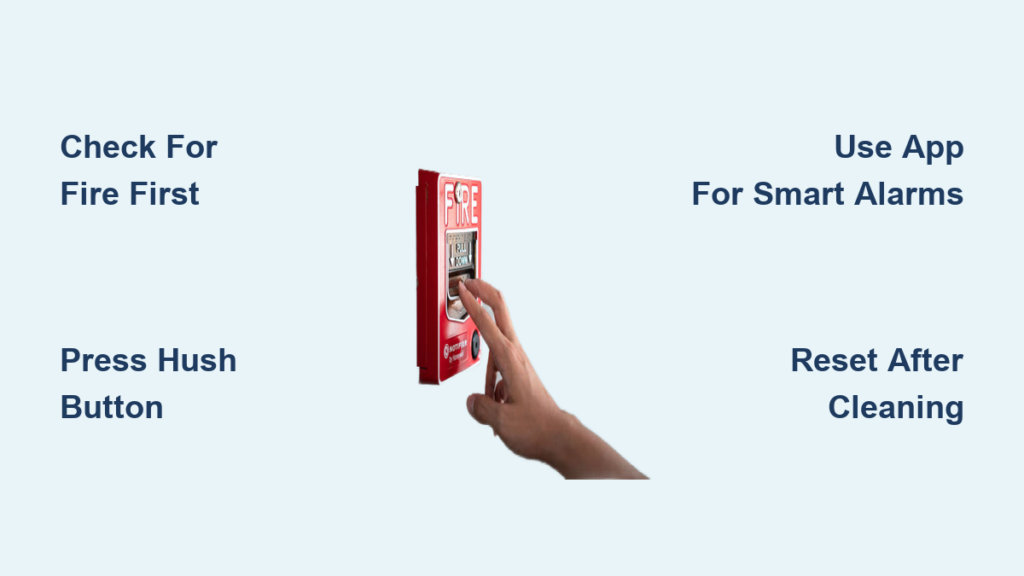
- Locate the hush button—typically labeled “HUSH,” “SILENCE,” or “TEST” on the front or side
- Hold firmly for 3–20 seconds until the alarm stops completely
- Wait 8 minutes for automatic reset (alarms reactivate if smoke persists)
Pro Tip: Repeat this cycle while ventilating the area. Open windows and use fans to clear smoke faster—your alarm will stay silent during this window.
Critical Mistake to Avoid: Don’t remove the battery immediately after silencing. This resets the unit and may cause chirping later. Only pull the battery if replacing it.
Stop Interconnected Hard-Wired Alarms
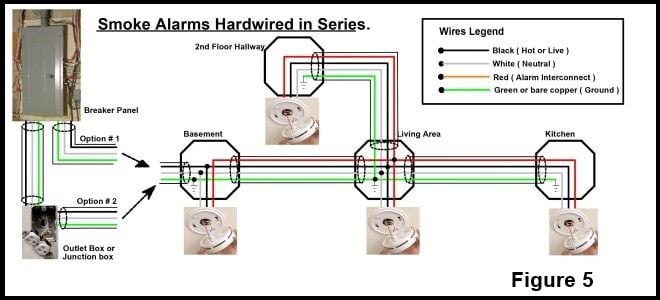
When one alarm sounds, they all scream. Identify the source first—the triggering unit flashes a red LED rapidly while others chirp intermittently.
- Press the hush button on the flashing unit—this silences the entire network
- If unresponsive, flip the “SMOKE ALARM” or “FIRE” breaker at your electrical panel
- Press hush again after restoring power to reset the system
Warning: Cutting breaker power disables all alarms on that circuit. Only use this as a last resort, and test other units immediately after restoring power.
Mute Smart Fire Alarms via App
Nest Protect, Ring Alarm, or Kidde Smart detectors? Silence takes one tap:
- Open your device’s app (Nest, Ring, etc.)
- Tap “Silence” or “Dismiss”—the alarm stops instantly
- Activate “Test Mode” if clearing persistent false alarms to prevent emergency dispatch
Expert Note: Smart alarms like Nest show trigger reasons in-app (e.g., “Steam detected”). Use this to fix the root cause—like relocating the detector farther from your bathroom.
Power Down Monitored Security Systems
ADT, Vivint, or Honeywell users: Never silence without protocol. False dispatches waste emergency resources and may incur fees.
- Enter your disarm code on the security panel
- Press OFF or # (varies by brand—check your manual)
- Call your monitoring company before silencing to request “test mode”
ADT/Honeywell Shortcut: The # key often silences alarms instantly. Confirm with your provider first.
Permanently Disable Alarms for Replacement
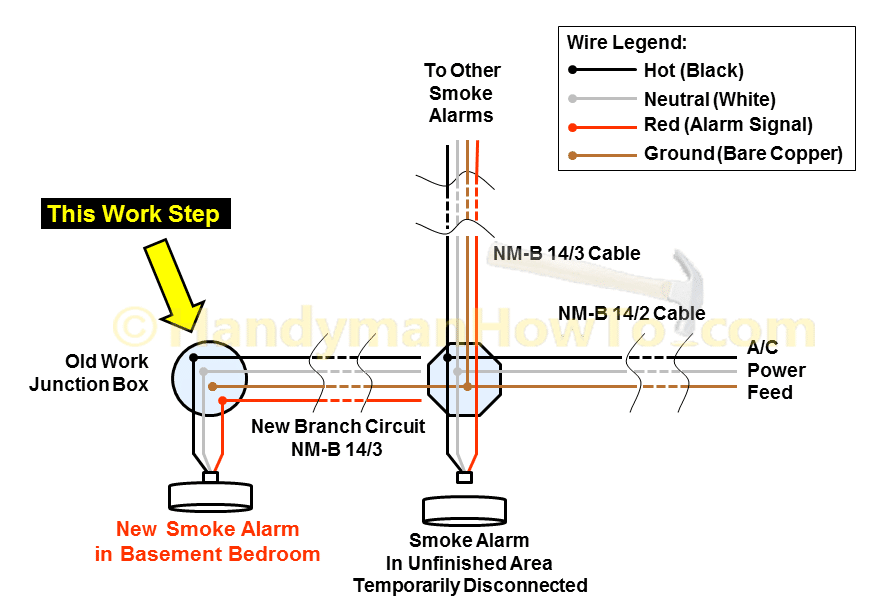
Required when installing new units or during renovations. Always work safely:
For Battery-Only Detectors
- Twist counter-clockwise to detach from ceiling plate
- Remove the 9V battery—unit is now fully deactivated
- Store the detector safely; it remains functional for reinstallation
For Hard-Wired Detectors
- Turn OFF the “SMOKE ALARM” breaker
- Twist and pull down to detach from base
- Unplug the wiring harness (white quick-connector)
- Remove the backup battery inside the unit
- Device is fully de-energized
Critical: Other alarms on the same circuit lose power. Test them before leaving the area.
Reset Alarms After False Triggers
Persistent chirping means your detector needs resetting after cleaning:
Battery Models:
– Remove battery completely
– Press test button 10 seconds to discharge residual power
– Vacuum sensing chamber with soft brush attachment
– Insert fresh alkaline battery (rechargeables fail under load)
Hard-Wired Models:
– Cut breaker power
– Remove detector and unplug wiring harness
– Remove backup battery and wait 60 seconds
– Vacuum chamber, then reassemble
Pro Tip: Use compressed air for dust in tight vents—it’s safer than brushing near delicate sensors.
Replace Batteries Without Alarm Failure
That chirp means “replace me now.” Do it correctly:
- Find the chirping unit (LED flashes rapidly on Kidde models)
- Twist counter-clockwise and pull down gently
- Note battery orientation before removal
- Insert fresh 9V alkaline (avoid lithium unless specified)
- Re-mount and test—hold test button 10 seconds until loud alarm sounds
Kidde-Specific: The red LED stops flashing when battery is properly seated.
Prevent Future False Alarms
Monthly maintenance stops 90% of nuisance triggers:
- Vacuum detector vents with soft brush attachment monthly
- Replace batteries yearly—mark your calendar for January 1st
- Install heat detectors within 10 feet of kitchens (they ignore steam)
- Replace units every 10 years—NFPA mandates this for safety
Kitchen Hack: Keep a towel over your stove when boiling water—steam won’t trigger alarms if it can’t reach the detector.
Essential Tools Checklist
Keep these accessible for quick fixes:
– Step ladder (collapsible for hall closets)
– 3-pack of 9V alkaline batteries (check expiration dates)
– Canned air or vacuum with brush attachment
– Flashlight (for dark ceiling access)
– Phillips screwdriver (for stubborn mounting plates)
Brand-Specific Quick Fixes
- First Alert/BRK: Press center “TEST” button 10 seconds after battery change
- Kidde: HUSH/TEST button silences for 8 minutes
- Nest Protect: Press center ring or use app—status ring turns green when clear
- ADT/Honeywell: Panel # key silences alarms; always call monitoring first
- UK FireAngel: Twist plate counter-clockwise—red LED flashes for low battery
Never Disable Alarms Overnight
Temporary silencing is safe—permanent removal is illegal and deadly. If you must disable a detector:
– Install a replacement the same day for units over 10 years old
– Use a battery-powered temporary alarm while troubleshooting
– Document the disabled unit with date and reason
UK Legal Reminder: The Regulatory Reform (Fire Safety) Order 2005 requires working smoke alarms on every floor. Disabling alarms must be temporary only.
Final Takeaway: Your fire alarm’s scream isn’t just noise—it’s your family’s lifeline. Mastering how to switch off fire alarm at home safely ensures you silence false alarms without compromising protection. Perform monthly vacuuming and battery checks, and replace aging units before their 10-year expiry. When that next false alarm blares, you’ll respond calmly, confidently, and correctly—keeping your home safe when it matters most.