
You’re in the doctor’s office, trying to remember when you had that CT scan last year, or frantically searching for your child’s immunization records before school registration. If this feels familiar, you’re not alone. Managing medical records across multiple providers, insurance portals, and years of paperwork has become overwhelming for most families. Knowing exactly how to organize medical records at home isn’t just convenient—it’s essential for making informed healthcare decisions and reducing stress during critical medical moments. This guide delivers practical, step-by-step strategies that work for both physical documents and digital files, ensuring you’ll always have the right information when you need it most.
Gather All Medical Records Before Organizing
Request Complete Records from Every Provider
Start by contacting all healthcare professionals you’ve visited in the past decade. Hospitals typically purge records after 7-10 years, so prioritize these requests first. You’ll likely need to sign a release form and pay small copying fees—most providers charge $0.50-$1.00 per page.
Critical records to collect include:
– Complete medical history summaries (not just recent notes)
– All test results (blood work, imaging, biopsies)
– Current and discontinued medication lists with dosages
– Surgical and procedure documentation
– Immunization records (especially for children)
– Legal documents like living wills and power of attorney
– Insurance statements showing what was covered
Pro tip: Call each office to ask about their record request process—some accept online forms while others require in-person pickup. Allow 2-4 weeks for processing.
Create a Temporary Collection System
Resist the urge to file records immediately. Instead, set up a labeled “Incoming Medical Records” box where everything goes for 30 days. This prevents you from organizing incomplete sets when additional documents arrive later. When records start pouring in, sort them into labeled sections: “Pending Review,” “To File,” and “Duplicate Documents.”
Choose the Right Physical Storage System

Select Your Storage Method Based on Needs
Your physical system must balance accessibility with security. For active medical management (like chronic conditions), a three-ring binder with plastic sheet protectors keeps frequently referenced documents safe and visible. For extensive histories, a dedicated file cabinet with hanging folders works best—label each tab clearly by family member.
Don’t skip this step: Store irreplaceable documents like birth certificates and vaccination records in a fireproof safe while keeping copies in your active system. This dual approach protects against disasters while maintaining daily access.
Implement a Chronological or Categorical System
For most families, a hybrid approach works best: chronological order within each category. Start with a master table of contents listing all sections and page numbers. Use color-coded tabs for quick identification:
- Red tabs for cardiac records
- Blue tabs for medications
- Green tabs for insurance and billing
- Yellow tabs for test results
Critical mistake to avoid: Never store records alphabetically by date—this makes it impossible to see health trends. Instead, file newest documents behind older ones so your complete medical timeline unfolds as you flip through pages.
Create Your Digital Backup System Immediately
Digitize Every Physical Document
Use your smartphone’s camera with scanning apps like Adobe Scan or Microsoft Lens to convert paper records to searchable PDFs. Hold your phone steady 6-12 inches above the document, ensuring good lighting. For multi-page documents, scan in order and use the app’s automatic page detection.
Pro system: Create a folder structure on your computer mirroring your physical system, then immediately back up to cloud storage. Your digital system should include:
- /Family Members/ (subfolders for each person)
- /Current Year/ (all active records)
- /Test Results/ (subdivided by type)
- /Prescriptions/ (current and past medications)
Implement the Two-Location Backup Rule
Never store digital records in just one place. Follow this critical rule: keep copies on both your computer hard drive AND cloud storage like Google Drive or Dropbox. This protects against hard drive failures while giving you access from any device. Update your digital system weekly—set a recurring calendar reminder to prevent backlog.
Build Your Daily Management System

Create a Health Command Center
Designate one drawer or small cabinet as your medical information hub containing:
- Current medication list (updated weekly)
- Emergency contact information (with relationships noted)
- Copies of insurance cards (never originals)
- Recent test results (last 6 months)
- Appointment calendar (next 3 months)
Quick implementation: Use a portable accordion file labeled with these sections: “Today’s Medications,” “Upcoming Appointments,” “Questions for Doctor,” and “Recent Results.” Keep this in your kitchen or bedside table for daily access.
Track Symptoms Effectively
Create a simple daily log using your smartphone notes app with these essential elements:
– Date and time of symptom occurrence
– Specific description (not “felt bad” but “sharp chest pain lasting 5 minutes”)
– Severity rating on a 1-10 scale
– Triggers and relievers (what made it better/worse)
– Medication timing relative to symptoms
Expert tip: Take photos of visible symptoms like rashes with date stamps—these visual records often provide crucial diagnostic clues doctors can’t get from descriptions alone.
Prepare for Medical Emergencies Now
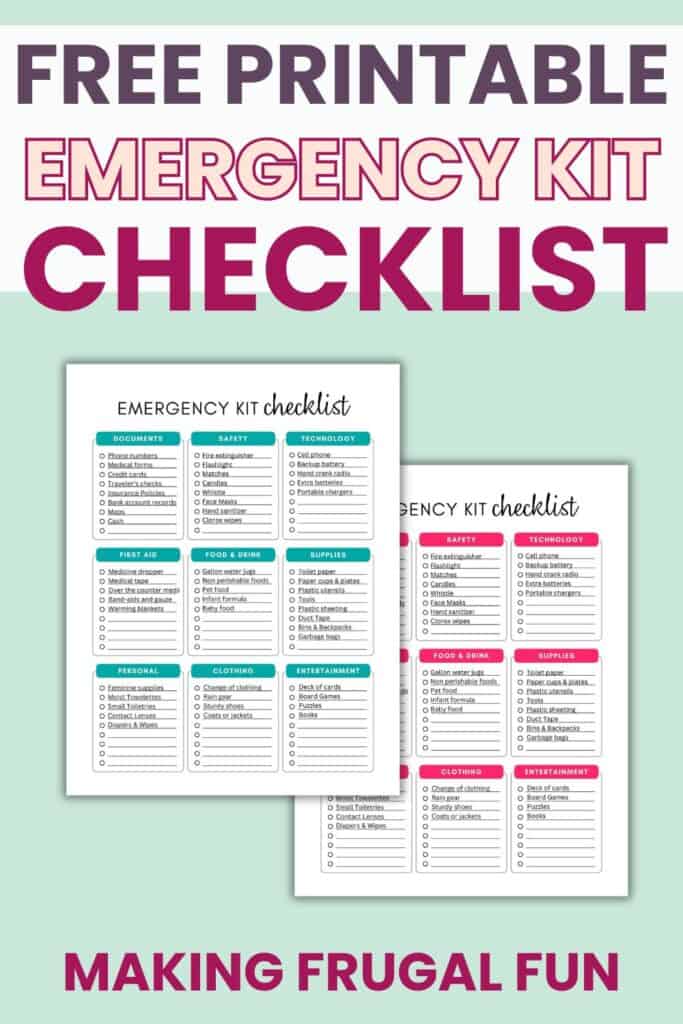
Create Your Grab-and-Go Emergency Kit
Every household needs a clearly labeled emergency folder containing:
– Current medication list with dosages and frequencies
– Allergies and critical conditions summary (in bold text)
– Emergency contacts with relationships and phone numbers
– Insurance information (policy numbers and group IDs)
– Legal documents like living wills and healthcare proxies
Critical action: Store copies in your car glove compartment, office desk, and with a trusted neighbor. Ensure everyone in your household knows where the primary medical records are stored.
Establish Emergency Access Protocol
Create a one-page instruction sheet titled “IN CASE OF EMERGENCY” explaining:
– Exact location of all medical records
– How to access digital files (including password manager instructions)
– Which doctors to contact first for specific conditions
– Insurance company and pharmacy contact information
Annual ritual: Update this information every January—replace expired insurance cards and revise medication lists after holidays when routines change.
Maintain Your System With Monthly Checkups
Implement the 30-Minute Monthly Maintenance
Schedule a recurring 30-minute appointment to:
– File new documents in correct locations
– Scan and upload recent papers to digital system
– Update medication lists with any changes
– Review portal messages for new test results
– Purge outdated information (bills older than 12 months)
Pro technique: Use colored sticky notes to mark documents needing attention—yellow for “file this,” pink for “follow up,” and blue for “discuss at next appointment.”
Conduct Your Annual System Overhaul
Once yearly, perform a comprehensive review:
– Archive records older than 7 years (except immunizations)
– Verify emergency contact information with all parties
– Test digital backup systems by restoring a sample file
– Replace worn binders or fading printed documents
– Update family health history with new information
Critical step: Ask your primary care physician to review your complete medical summary during your annual physical—this ensures accuracy and identifies potential gaps.
Final takeaway: The most effective system for how to organize medical records at home adapts to your specific needs—not someone else’s ideal. Start with just one family member’s records using a simple binder system, then expand as you gain confidence. Remember that organized medical records aren’t about perfect filing—they’re about having life-saving information instantly available when seconds count. Spend just 30 minutes this week setting up your foundation, and you’ll transform healthcare chaos into calm control for years to come. Your future self (and your healthcare team) will thank you when you’re asked for critical information at a moment’s notice.